
Your users don't ignore you. They ignore the inbox.
Onboarding emails sit unopened while trials quietly run out. Add users, send events and trigger messages with one API call, and your welcome, tips and launches reach them on WhatsApp, read and answered.
POST https://usebuddy.app/api/v1/subscribers
Authorization: Bearer bd_live_…
Content-Type: application/json

{
  "phone": "+44 7700 900123",
  "name": "Daniel",
  "tags": ["trial"]
}
201 Created
{
  "data": {
    "name": "Daniel",
    "status": "subscribed",
    "tags": ["trial"]
  }
}
 Daniel Hughesonline
Subscriber added · just now
From your product
Never re-subscribed
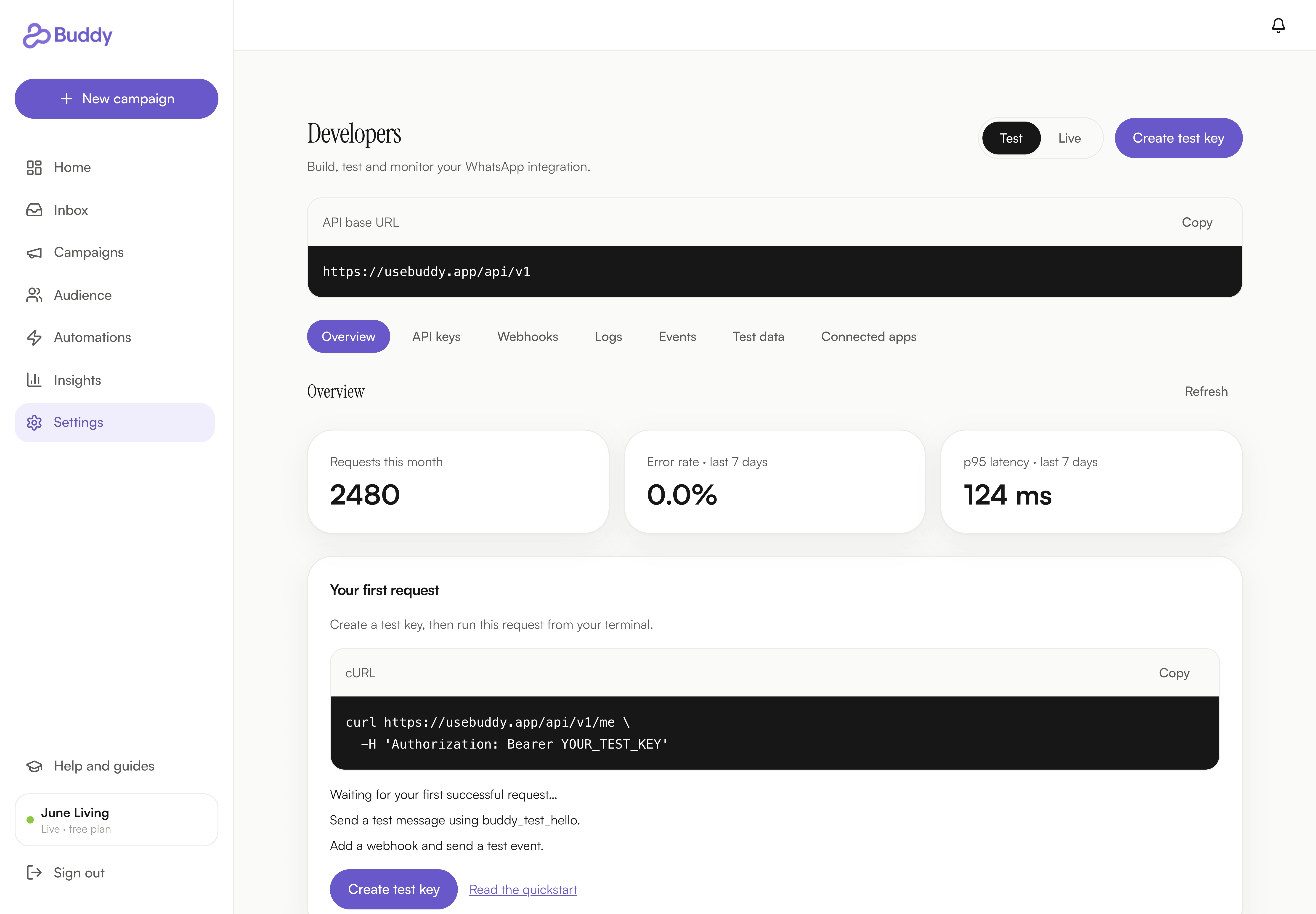
Set up and test your Buddy integration.

Your welcome email is doing its best. It's sitting in Promotions.
Most products greet new users by email. The welcome lands in a tab nobody opens, the day-three nudge hits spam, and the launch gets read a week late. On WhatsApp, the same words get read in minutes.
Today, onboarding lives in email.
- The welcome email lands in a tab nobody opens.
- The day-three nudge hits spam, so day three never comes.
- Your launch post is read a week late, if it's read at all.
- Replies go to no-reply@, where questions go to die.
- WhatsApp means a CSV export, cleaned row by row, and opt-outs you hope you caught.
Onboarding that lands, and gets read.
- One call when a user opts in, and they're in Buddy, tagged, before the tab closes.
- Your welcome arrives on WhatsApp within the minute, from an automation you set once.
- Tips and launches reach exactly the tag you pick, or go out the moment an event arrives.
- Every reply lands in one inbox, and a real person answers it.
- Opted out means opted out. On every call, every single time.
One key, one call, one warm hello.
A bearer key, plain JSON, and the welcome runs inside Buddy. That's it.
Make a key
Create an API key for your workspace in Buddy settings. Copy it once, and revoke it the moment you stop trusting it.
Add the user
When a user opts in inside your product, send their phone, name and tags. You get 201 Created, and they're on your list.
Say hello from Buddy
Build an audience from the tag and write the welcome once as an automation. Every new subscriber gets it within the minute.



Welcome, nudge, launch: the jobs email was meant to do, done on WhatsApp.
Every subscriber arrives with their yes attached.
Your user said yes inside your product. Buddy records that yes and treats them like every other subscriber. If someone has opted out, the call tells you and leaves them be. Only they can opt back in.

Source: API · consent recorded. Opted-out contacts stay opted out.

Your keys, under your control.
Each key is a plain bearer token tied to one workspace. Give your web app, mobile app and contractor their own, see when each was made, and switch any one off the moment you stop trusting it.
Tag them "trial" once. The right WhatsApp message finds them.
Send "trial", "pro" or "churn-risk" with the subscriber and the same words become audiences in Buddy, ready for a WhatsApp message or an automation. Send a new tag later and it merges with the ones already there.
"tags": [
  "trial",
  "team-plan"
]

 Daniel HughestrialsubscribedElena RossiprosubscribedTomás Reyestrialunsubscribed
Your product and Buddy always agree on who said yes.
List your subscribers any time, with status and tags, and let webhooks tell your product the moment someone joins, replies or opts out.
Five journeys your team can ship before lunch.
A welcome the minute they sign up
Your sign-up form adds the subscriber. A Buddy automation says hello within the minute, and a real person handles the reply.
Trigger · Subscriber createdTips that save the trial
Tag them "trial" on day one. The tip that gets them to their first win lands on WhatsApp, read before the trial ends.
Tag · trialPaying customers hear first
Tag upgrades "pro". Shipping a new feature? They hear about it on WhatsApp first, long before any email digest.
Tag · proFrom waitlist to WhatsApp
People join your waitlist on your site and land in Buddy tagged "waitlist". The day you open the doors, one WhatsApp message tells them all.
Tag · waitlistSave a payment before it fails
Send a payment_failed event and Buddy messages the customer on WhatsApp before their plan lapses. They fix it from the chat.
Event · payment_failedOne small API, every job done properly.
Plain JSON over HTTPS for subscribers, events, messages and webhooks, with Buddy's consent rules under every call.
Add people, list them, and let Buddy apply the consent rules.
Your code adds the person. Buddy keeps the promise you made to them.

Three questions developers ask before the first call.
Can the API skip consent?
No. Subscribers you add follow exactly the same consent and opt-out rules as everyone else in Buddy. If someone has opted out, the call tells you and they stay opted out.
How is it kept secure?
Every request carries a bearer key tied to one workspace and nothing else. You create and revoke keys in Buddy settings, and a revoked key stops working straight away.
What if I add someone twice?
You get 200 back and the new tags merge with the existing ones. Nothing is duplicated, and a retry never re-subscribes someone who opted out.
Still deciding?
Anything else, ask Sarah. She reads every message and writes back herself.
Ask a questionWhat does the Buddy API do?
It adds users who opted in inside your product to your Buddy workspace and lists your subscribers. It tells Buddy when a purchase, trial, booking or payment happens, triggers approved WhatsApp messages from your product, and sends subscriber, reply and opt-out updates back to you through webhooks.
How do I authenticate?
Create an API key in your Buddy settings and send it as a bearer token with every request. Each key belongs to one workspace and can be revoked any time.
What if I add someone who is already a subscriber?
Buddy keeps one record and merges the new tags with the ones they already have. Nothing is duplicated, and the response tells you they were already there.
What if I add someone who has opted out?
They stay opted out. The API tells you so and never re-subscribes them. Only the person can opt back in, through your opt-in page or form.
Does adding a subscriber send them a WhatsApp welcome?
Only if you want it to. Set up an automation in Buddy once and it sends your approved welcome the moment a subscriber is added, or trigger the message yourself through the API.
What does WhatsApp charge for these messages?
Meta charges for business messages by type and country. Your Buddy plan is separate from that.
Give your users a welcome they'll actually read.
Join the waitlist, tell us what you're building, and we'll help you make your first call.


Subscriber added
From your product
Buddy automation
Never re-subscribed